
Adding Cookies To The Cookie Jar
The Cookie Jar
I know the browser stores cookies on your machine. I also know that websites can set and check them. However, I was not sure how and where they are stored. It turns out cookies for Firefox are stored in a cookies.sqlite database in the browser’s profile folder. The profile folder can be found by typing about:profiles into the Firefox address bar.
Checking the Cookie Jar
I wanted to see what this database of cookies looked like, so I downloaded a DB Client for SQLite. I tried just opening the cookies.sqlite file in SQLite Browser but ran into an error:
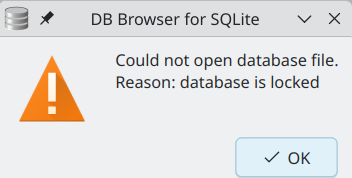
It looks like the Firefox process has a lock on it, and I could not read from it. I had to copy the file to a different folder and then I was able to open and read the contents.
Examining the database file, there are around 3,000 entries for cookies! I found only one cookie attributed to my domain of *.cammurphy.com and that was the cf_clearence cookie, which I guess means Cloudflare is sufficiently happy I am not a robot.
Adding Cookies!
To add a cookie to www.cammurphy.com I added the following simple JavaScript code:
var now = new Date();
var oneYear = new Date(now);
oneYear.setFullYear(now.getFullYear() + 1);
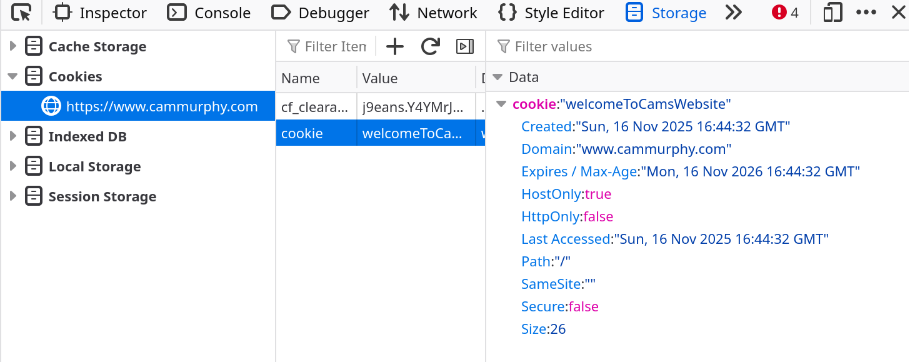
document.cookie = "cookie=welcomeToCamsWebsite; expires=" +  oneYear.toUTCString() + "; path=/";
Checking the cookie in the browser, I see it:
I also see it querying cookies.sqlite:

Overall, it is a pretty simple process to set and check a simple cookie. I think it is more interesting to see how you can use them and how to secure them. That will be in later posts.
References
https://developer.mozilla.org/en-US/docs/Web/HTTP/Guides/Cookies
https://developer.mozilla.org/en-US/docs/Web/API/Document/cookie