
HSTS Headers
The purpose of this blog post is to learn about HSTS headers and how they work, with a side product of better securing my sites.
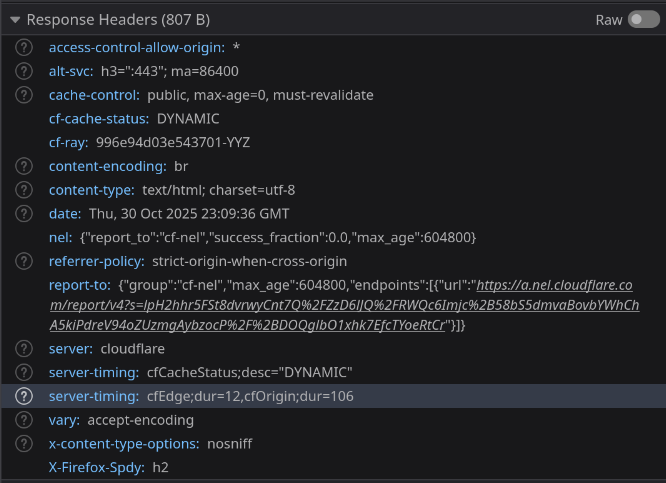
Before I wrote this post:
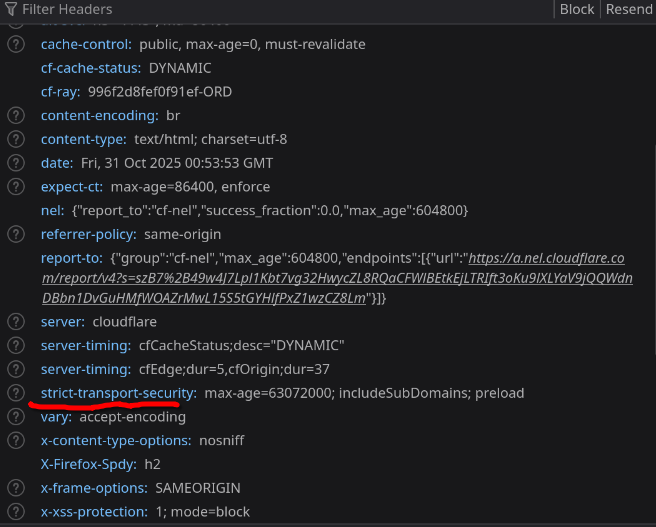
After I wrote this post:
What is an HSTS Header
HSTS stands for HTTP Strict-Transport-Security. When the browser initially requests a web page, the server will include in its response a header with the instructions “Hey browser remember this domain, and always load it over https and auto-upgrade http to https”.
Adding HSTS Headers to *.cammurphy.com
I chose to add HSTS headers via a transform rule in Cloudflare.
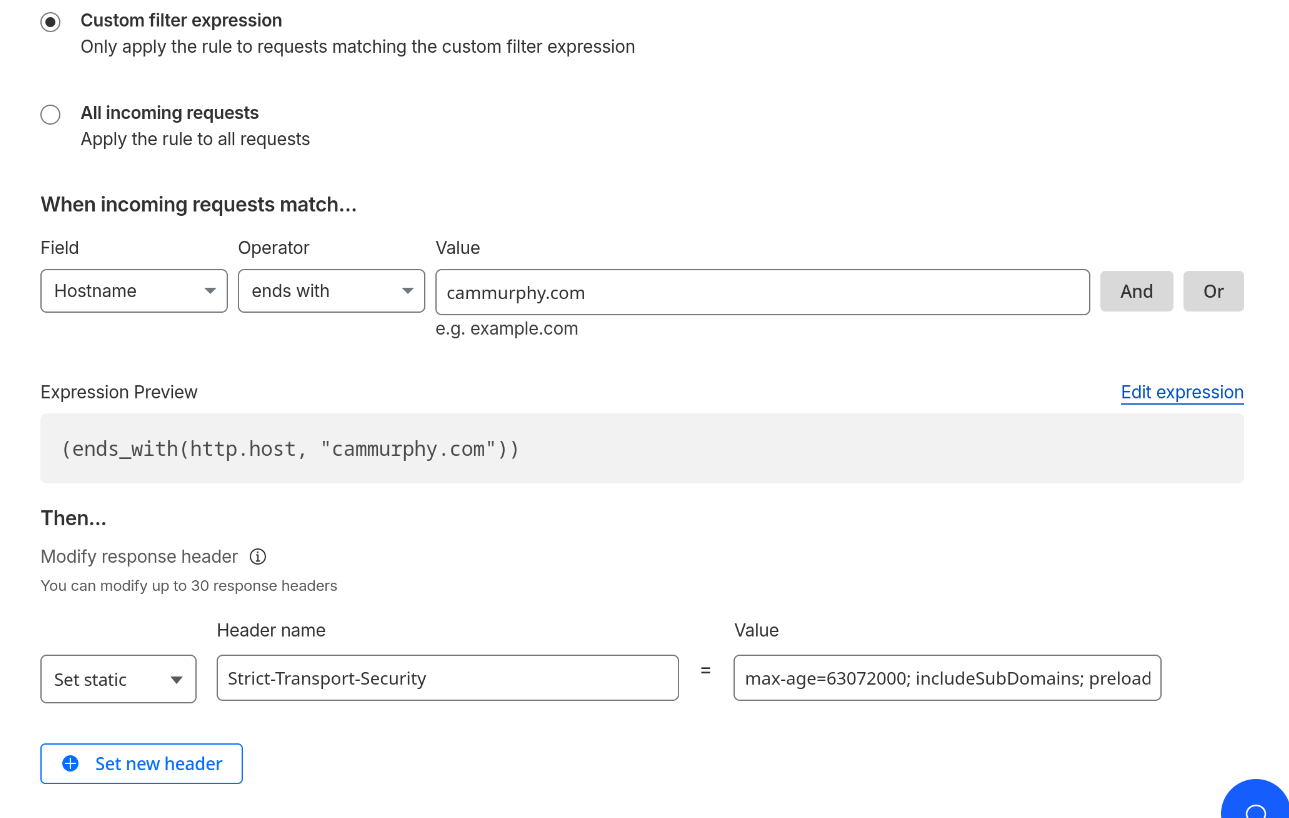
The options!
Required
Max-Age: The unit of measurement is seconds. I set this to the recommended two years.
Not Required
IncludeSubdomains: I added this, because I wanted www.cammurphy, blog.cammurphy, and etc to have the same security.
preload: With adding this option you allow the domain to be added to the preload list. The preload list is what browsers will check if it should load the site without even having to get the initial response from the server. You can submit your domain to be added to the list here.
Seeing it for myself
I was interested to see how and where the browser was storing this list that checks if the domain must be loaded over https. I use firefox, by typing about:profiles in your address bar you can see where the firefox profile folder is. In that folder there is a SiteSecurityServiceState.bin file that is filled with random HEX gibberish. I had to install a Hex editor, I chose GHex because this came up in results as someone having a similar issue. After seaching, boom I found cammurphy.com.

Why HSTS Headers
It prevents bad actors on a public network from pretending to be your site and capturing requests over an insecure connection in a man in the middle attack.
Thank You!
Thanks to these posts that helped along me along with my HSTS journey.
https://developer.mozilla.org/en-US/docs/Web/HTTP/Reference/Headers/Strict-Transport-Security
https://hstspreload.org/
https://sim642.eu/blog/2024/08/10/firefox-hsts-bypass/